 Audit
AuditNon-chargeable time, your categories
Holiday, sickness, training, study leave, exams, admin and marketing are recorded the same way as a job. The list is yours to change. They count towards the week but never towards a fee or a budget.
Staff start a timer, and switch it when they switch work. That is the whole job. The day and the week are built from it, by client, by job and by area of the file.
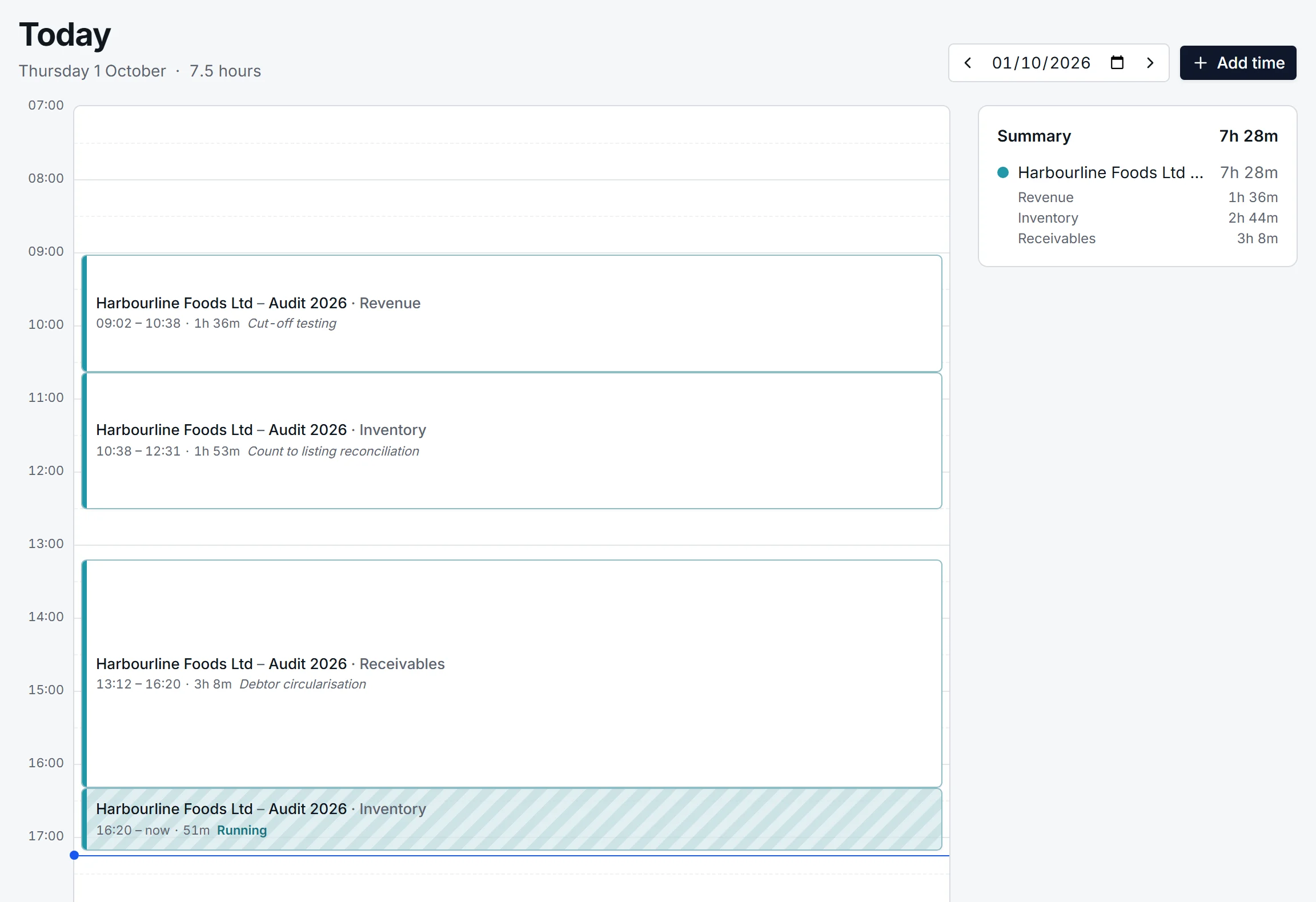
The compact timer lists the jobs a person is on, favourites starred, with the area beside each. One click starts it. Clicking another job stops the first and starts the second, so there is only ever one timer running and no gap between them.
It works the same on a phone, where the app can be installed to the home screen.
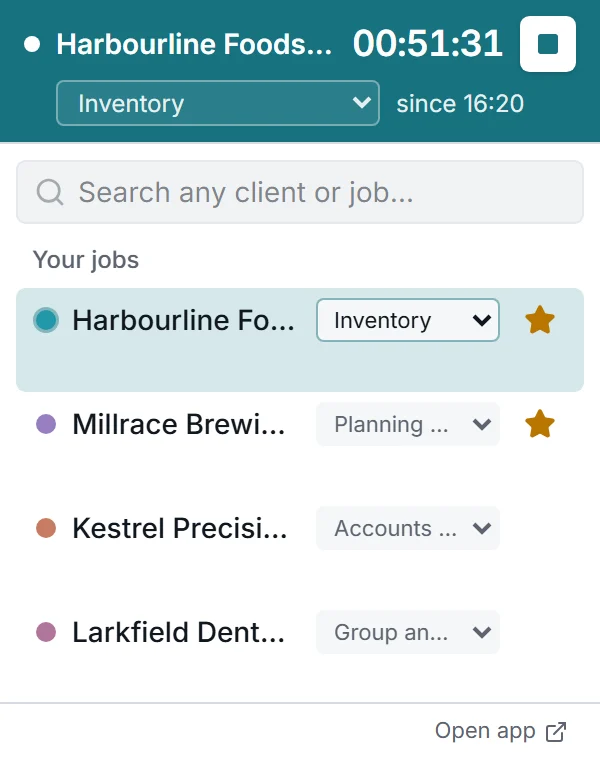
Today shows the day as a timeline. Drag the edge of an entry to correct when it started or stopped. Click an empty stretch to add time that was missed. Split an entry in two when half of it belonged elsewhere, or merge two that are really one.
A summary beside it totals the day by job and by area.
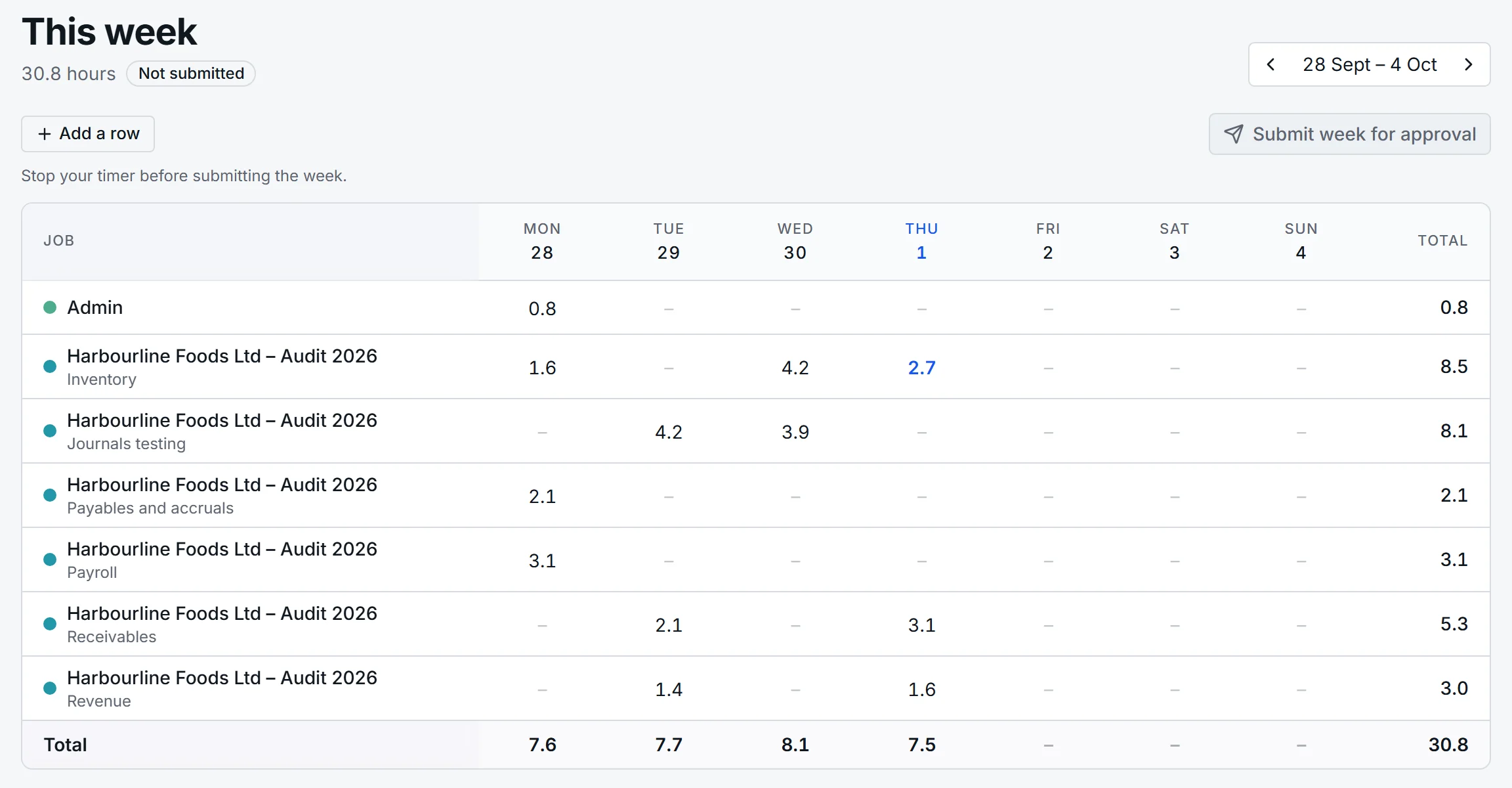
Week shows the same time as a grid of jobs and areas against days, and hours can be typed straight into it. When the week is right, one button sends it for approval.
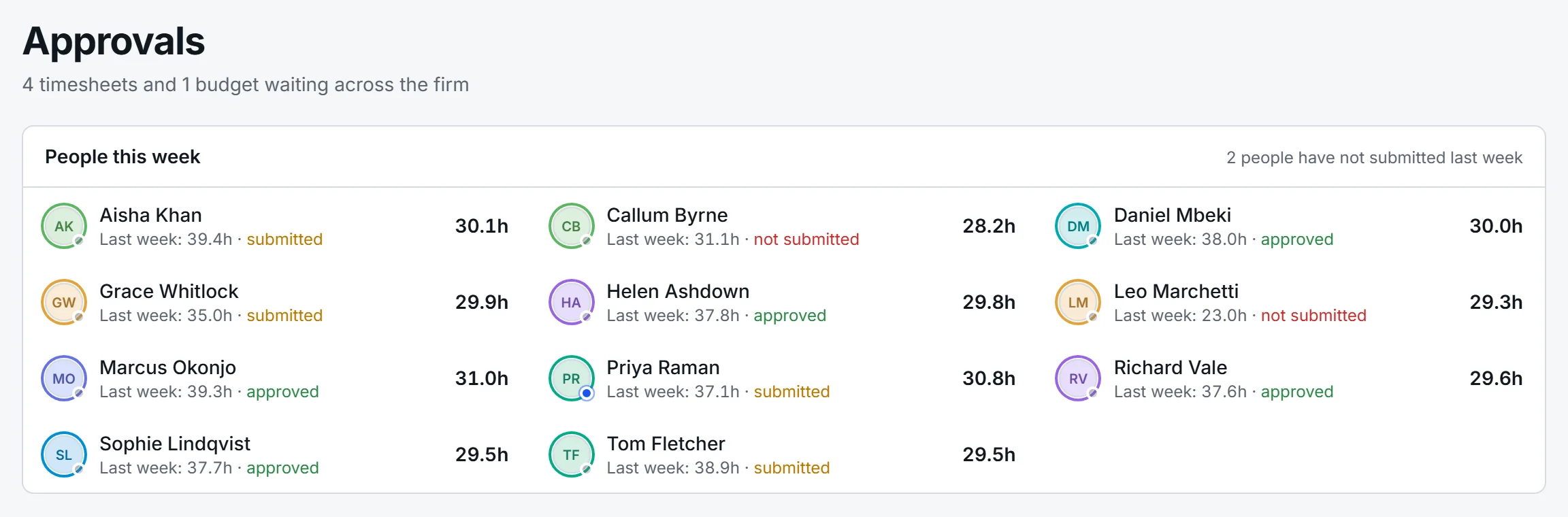
Each person has a line manager, and submitted weeks arrive with them. The line manager sees who has submitted, who has not, and how many hours each person has recorded this week, then approves or sends a week back with a note.
Firms that would rather not approve weeks at all can switch it off in Settings.
Holiday, sickness, training, study leave, exams, admin and marketing are recorded the same way as a job. The list is yours to change. They count towards the week but never towards a fee or a budget.
Set a time in the evening and any timer still running is stopped at that time, with a note on the entry saying so. Nobody comes in on Monday to a sixty-hour Friday.
Time is kept to the second. Rounding to six minutes, or whichever unit you choose, is applied only when time is exported, so nothing is lost by switching jobs often.
A manager can fix someone else's entry. The entry records who changed it and when, so the timesheet remains evidence of what happened.
Tell us a little about your firm and we will walk you through AuditNavi on a call: a job budgeted, the team booked, a week of time recorded.