All tools

The reports partners actually ask for.

Who is free. What is unbilled, and how old it is. Which jobs ran over, in which area, and why. Whether last month's time is complete.

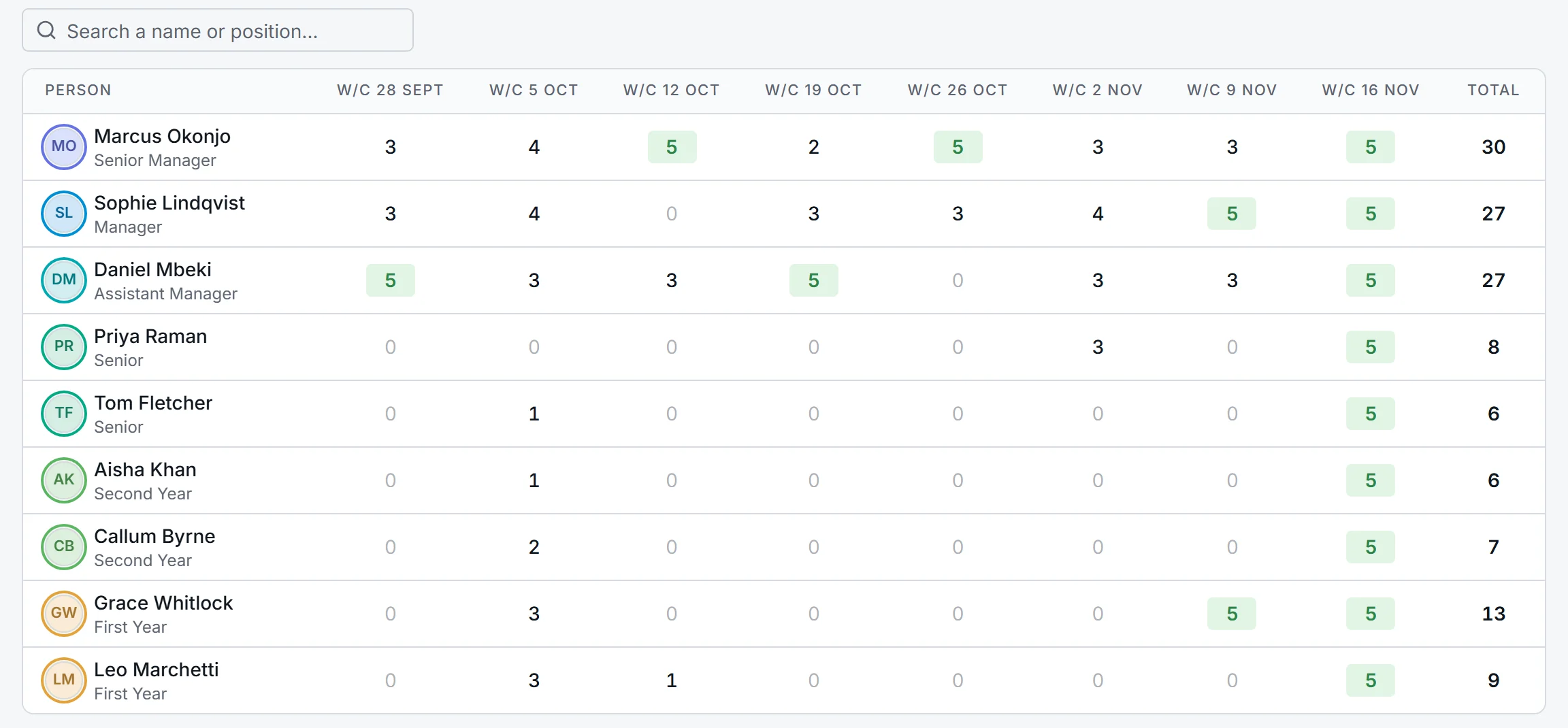
The capacity report: free days for each person in each of the next eight weeks.

Month end without the chasing

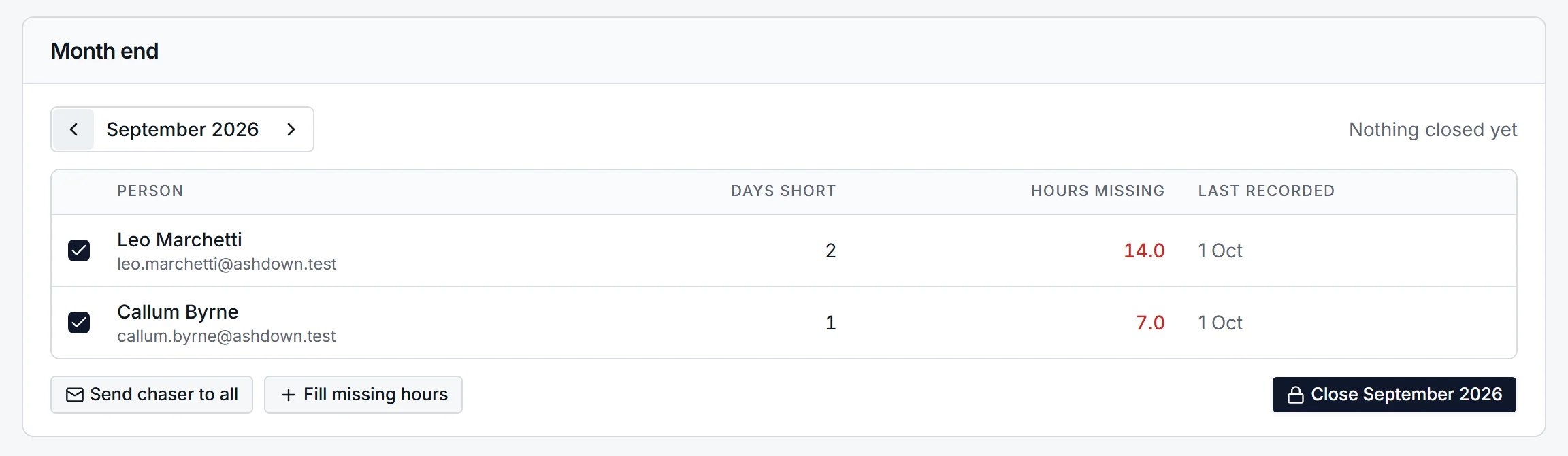
Pick the month and AuditNavi lists everyone whose recorded time falls short of their working days, and by how much. Send a chaser to all of them with one button.

If the deadline arrives first, fill the gaps to a holding category so the month's hours are complete, then close the month. Hours in a closed month cannot be added, removed or resized, though held time can still be moved to the right job afterwards.

Month end for September: two people short, 14 and 7 hours missing, with buttons to send a chaser, fill missing hours and close the month.

Who reports to whom

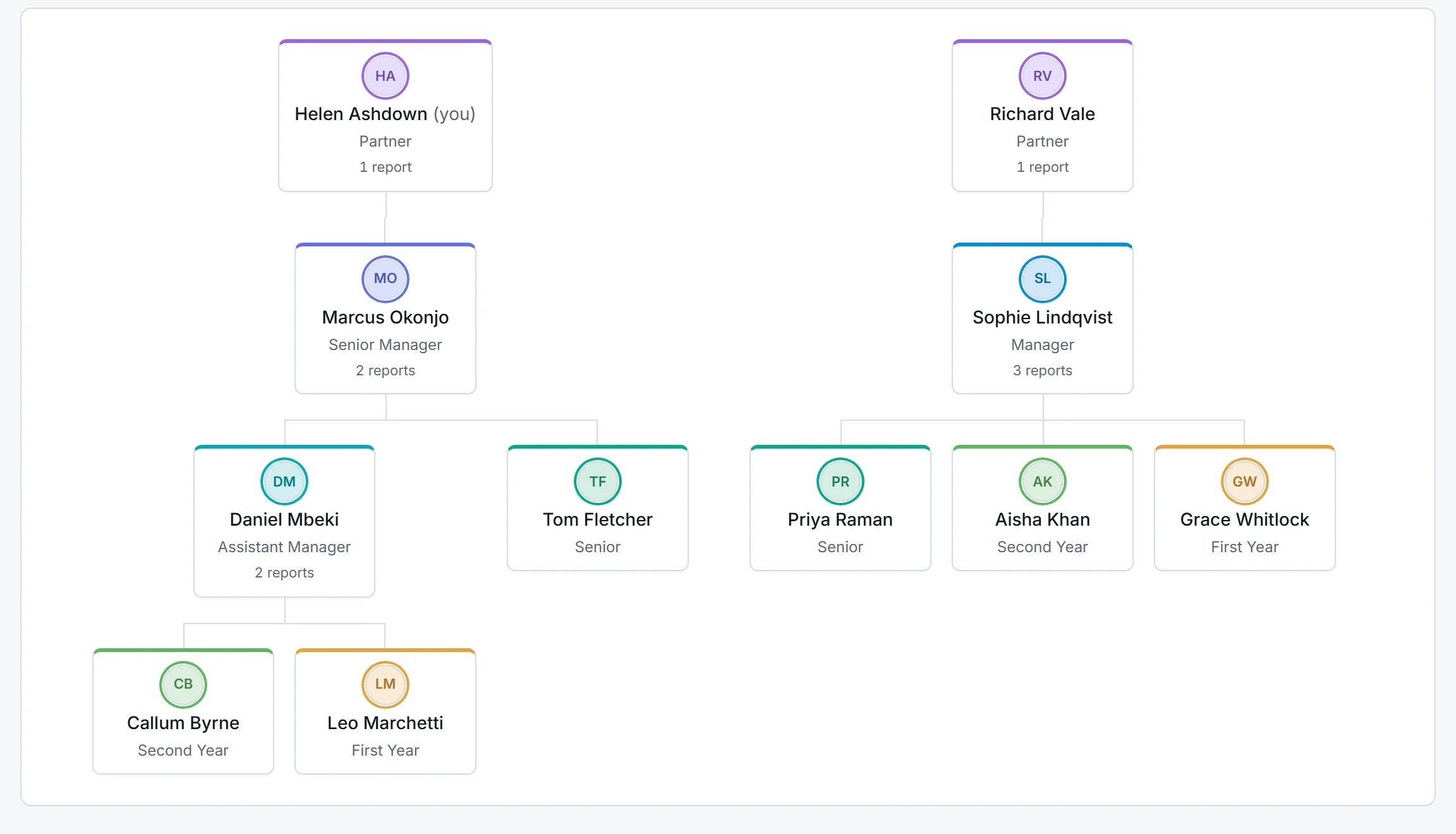
The People page can be switched from a list to a chart, drawn from each person's line manager and coloured by position. Anyone without a line manager is pointed out, because nobody is being asked to approve their week.

The org chart: two partners at the top, managers beneath them, then seniors and trainees, each card coloured by position.

Work in progress, with ageing

Tick the jobs you want and download a workbook: a summary, a sheet per job showing hours at charge-out rates per person and the invoices raised, and an ageing sheet that sets invoices against the oldest time first so you can see how long unbilled work has been sitting.

Budget against actual

Hours budgeted against hours recorded for each job, for each person, for each area, and as a grid of person by area. It is the evidence behind a fee conversation and the starting point for next year's budget.

See it with a job you know.

Tell us a little about your firm and we will walk you through AuditNavi on a call: a job budgeted, the team booked, a week of time recorded.