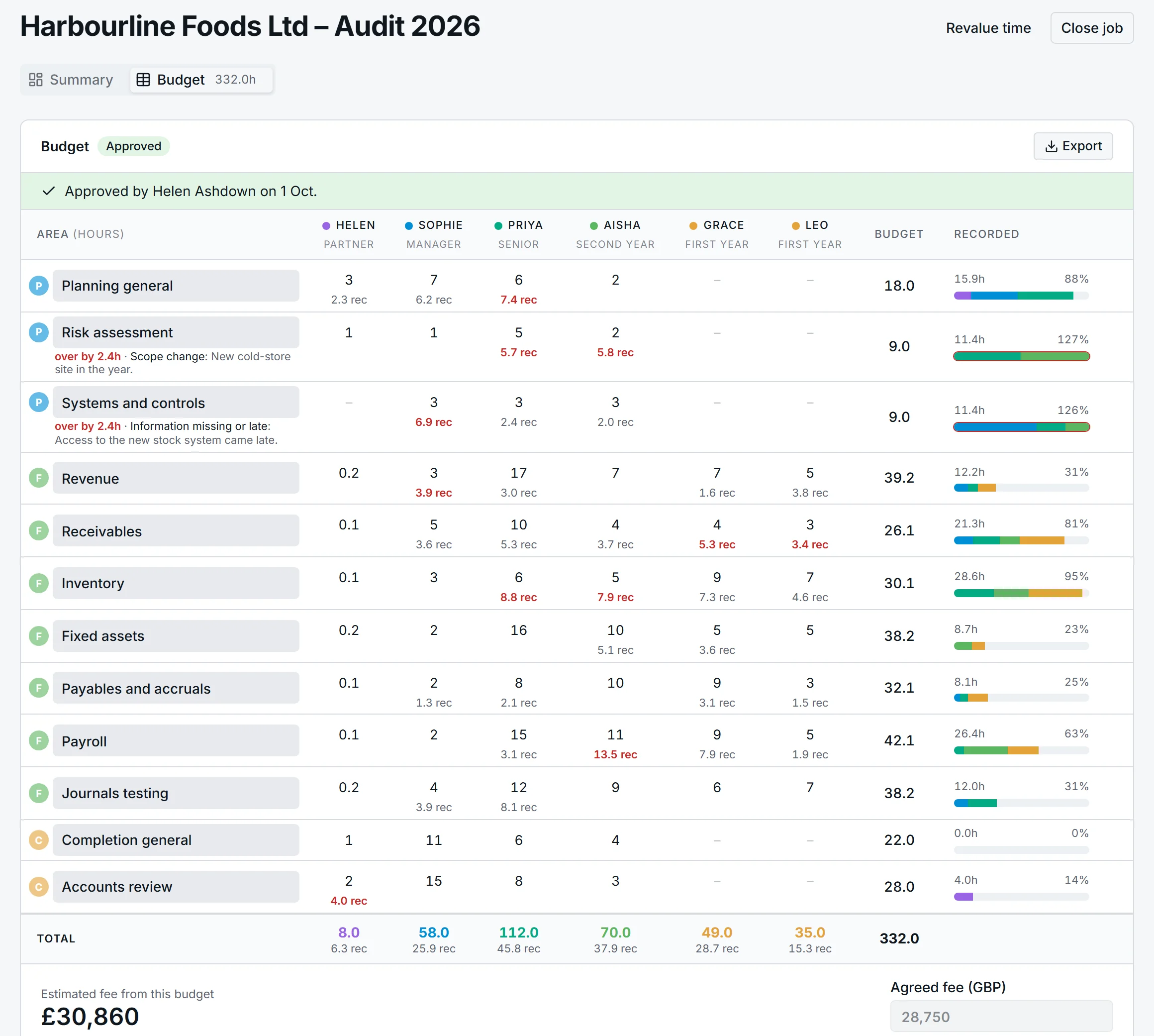
A job's budget is a grid: the areas of the audit file down the side, the team across the top. Recorded time fills in under every figure as the work happens.
The budget is the audit file, in hours
Tick the areas this job has, from planning and risk assessment through revenue, inventory and payroll to the accounts review. Each area belongs to planning, fieldwork or completion. Then type hours for each person against each area.
Beneath every budgeted figure is what has been recorded so far, in red once it passes the budget. The bar on the right shows how much of the area is used and by whom.
Estimated fee. Generated automatically from your built-in charge-out rates and the budgeted hours.
The fee you estimated and the fee you agreed
Hours × charge rate = estimated fee.
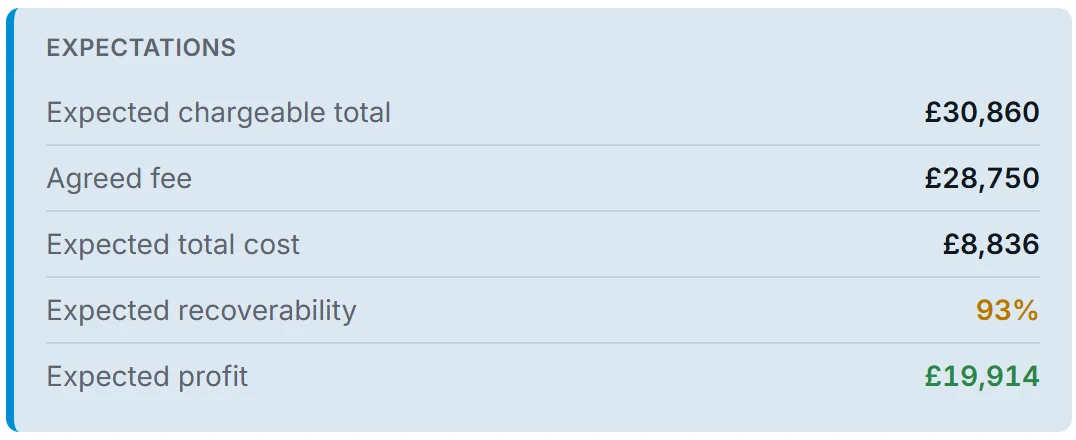
You document the agreed fee per the partner and the reason for any difference. Recoverability and profit are calculated from the data already in the system.
Partners see expected profit. Managers and below do not.
Every job at a glance
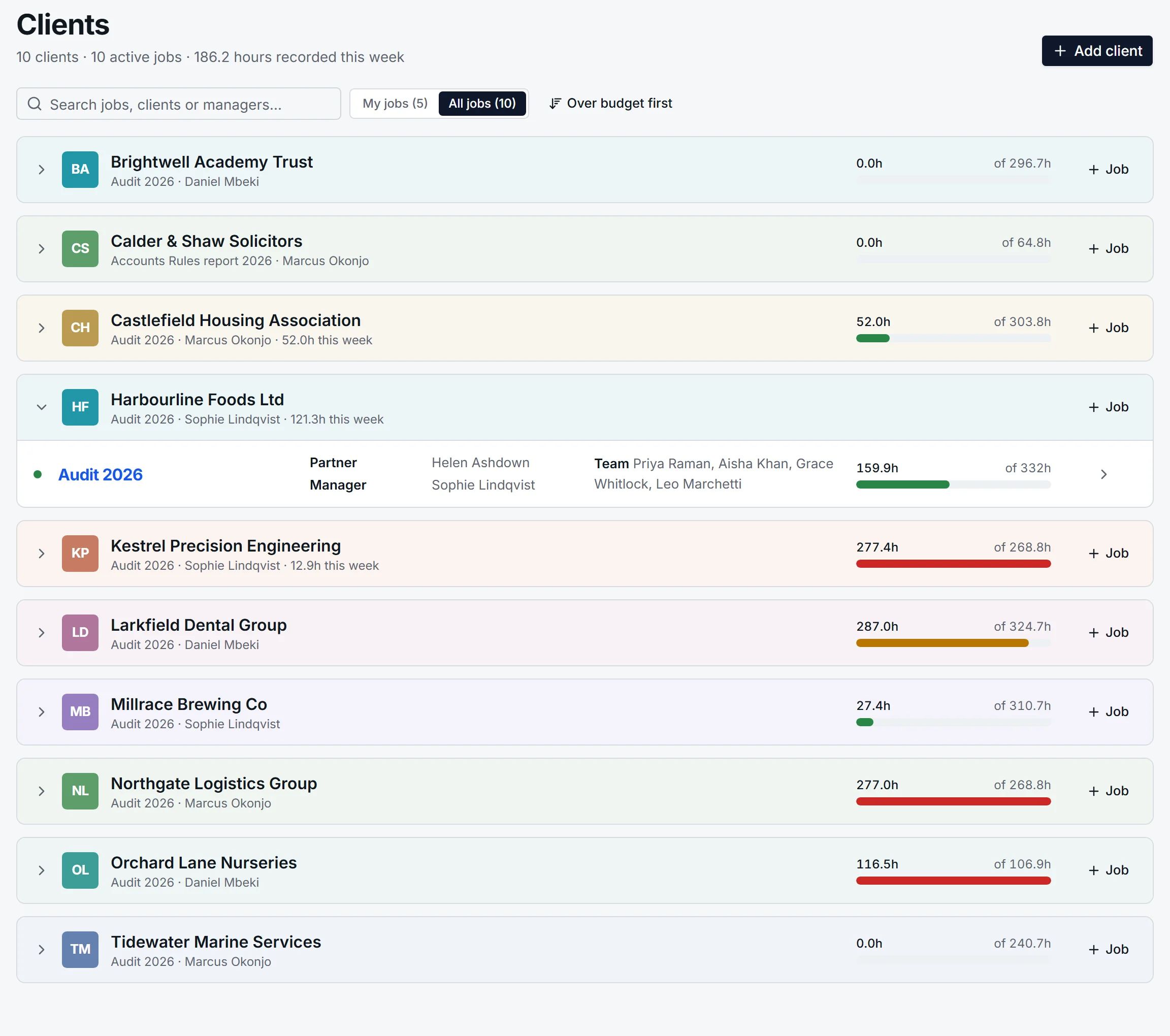
The Clients page lists each client with a bar showing how far through its budget the work is: green, then amber as it nears the budget, red once it passes. Open a client to see its jobs. Sort by over budget first when that is all you want to know.
When an area runs over, say why
Once recorded hours pass an area's budget, the grid asks for a reason: client delay, scope change, information missing or late, first-year audit, review took longer. It is recorded against the area, not the job, because the overrun on inventory and the saving on payroll are two different stories.
Approved before the work starts
A manager builds the budget and sends it to their approver. The approver can adjust small things and approve in one go, rather than sending it back. An approved budget is locked until a partner reopens it.
Budget a position before you know who
Need a second-year for forty hours but not sure which one? Budget the position. Its cost is the average for people at that level, and when you name the person, their hours take its place.
Invoices and unbilled work on the job
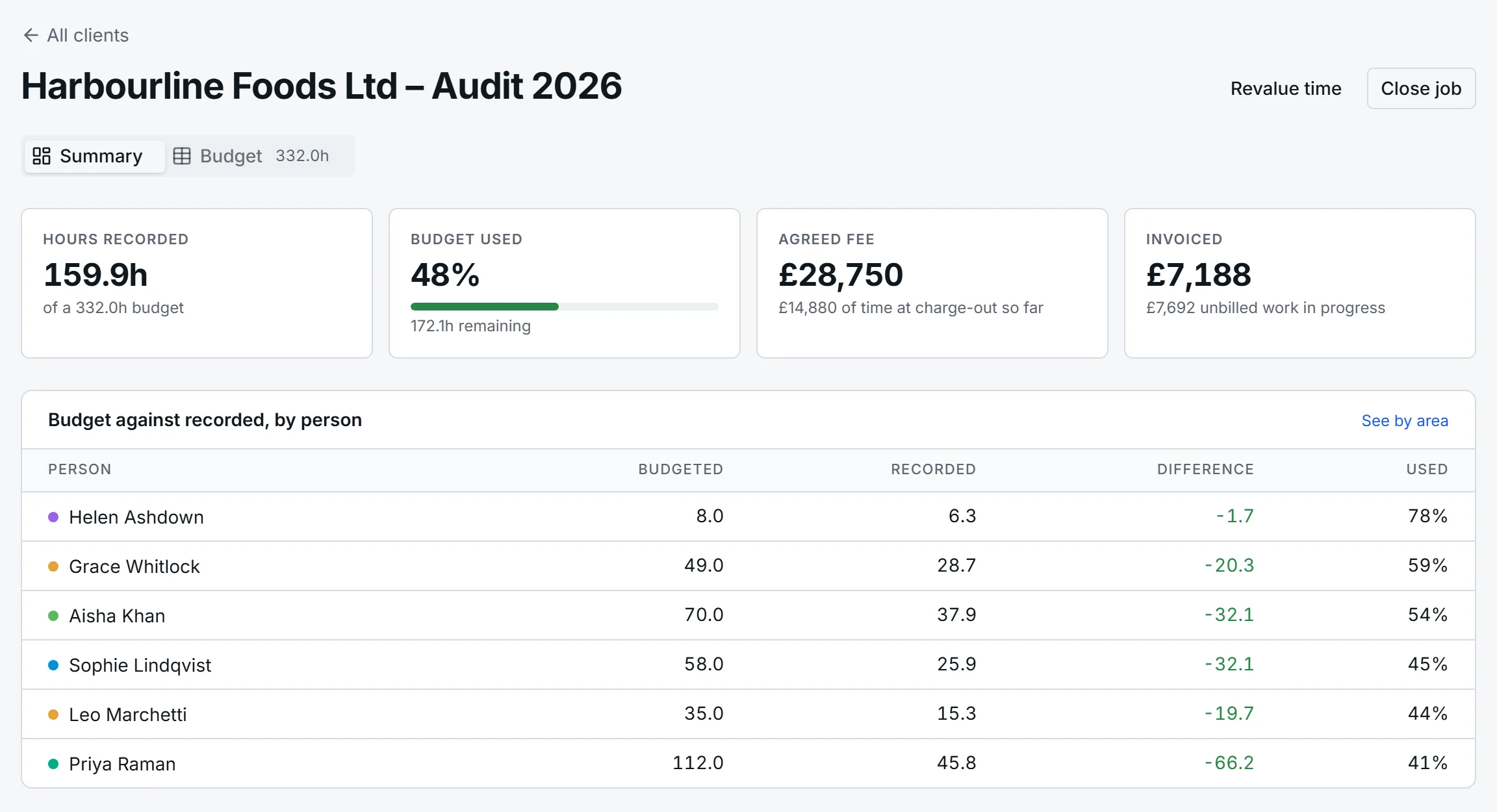
Post invoices against the job as you raise them. Unbilled work in progress is recorded time at charge-out rates less what has been invoiced, always in view at the top of the job.
One workbook for the audit file
Export the budget, the fee and the reasons for any overrun as an Excel workbook, ready to file as evidence of how the job was planned and resourced.
Nobody is blocked from recording time
If someone helps on a job they were never budgeted for, their time is recorded and they appear on the budget as not budgeted, with one click to add them properly. You find out; they are not stopped.
 Audit
Audit